
How to implement the SCRUM framework directly inside GitHub, based on our YouTube course, so clients and contractors share the same operational language. If your projects feel chaotic or progress feels invisible, this article shows how we run execution in a clean, predictable way. Working with SCRUM doesn’t require complex tools or heavy bureaucracy — it requires structure, clarity, and discipline...
How to implement the SCRUM framework directly inside GitHub, based on our YouTube course, so clients and contractors share the same operational language. If your projects feel chaotic or progress feels invisible, this article shows how we run execution in a clean, predictable way. Working with SCRUM doesn’t require complex tools or heavy bureaucracy — it requires structure, clarity, and discipline...






SCRUM in GitHub Explained: How We Plan, Execute, and Deliver Work

Frank Arellano
Founder of Plexotrade LLCThis article is a quick, practical guide to the SCRUM framework implemented inside GitHub, based on our dedicated course available on the Plexotrade LLC YouTube channel.
It summarizes the essential concepts, structure, and execution model we use daily, so you can understand how SCRUM actually works in practice — not in theory.
If you want the full step-by-step setup, live walkthroughs, and deeper explanations, we strongly recommend watching the complete SCRUM Framework on GitHub course on our YouTube channel.
It is required reading for:
- Clients, so they understand how projects move forward and how to participate continuously
- Contractors and collaborators, so everyone follows the same operational language and standards
This is not theory. This is the exact workflow we use daily.
SCRUM is not bureaucracy. It is an execution framework.
Why We Use SCRUM
Digital projects fail when work is unstructured, invisible, or disconnected from real value.
SCRUM solves this by:
- Making work visible
- Breaking complexity into small, testable increments
- Allowing continuous feedback instead of late surprises
At Plexotrade, SCRUM allows clients to see progress, contractors to focus on value, and projects to move forward predictably.
Why GitHub Is Our Operational Hub
GitHub provides universal tools that adapt perfectly to agile frameworks.
We use it as our single source of truth for:
- Tasks and responsibilities
- Progress tracking
- Documentation and decisions
- Client visibility
Instead of emails, chats, and scattered files, everything lives in one structured system.
How SCRUM Maps to GitHub
To avoid confusion, SCRUM concepts translate directly into GitHub tools:
- Issues → User Stories / Product Backlog
- Milestones → Project phases or delivery checkpoints
- Projects → Sprint or Iteration Boards
- Project Board → Product Increment
- Labels → Task status and classification
Together, these elements form the SCRUM artifacts we work with every day.
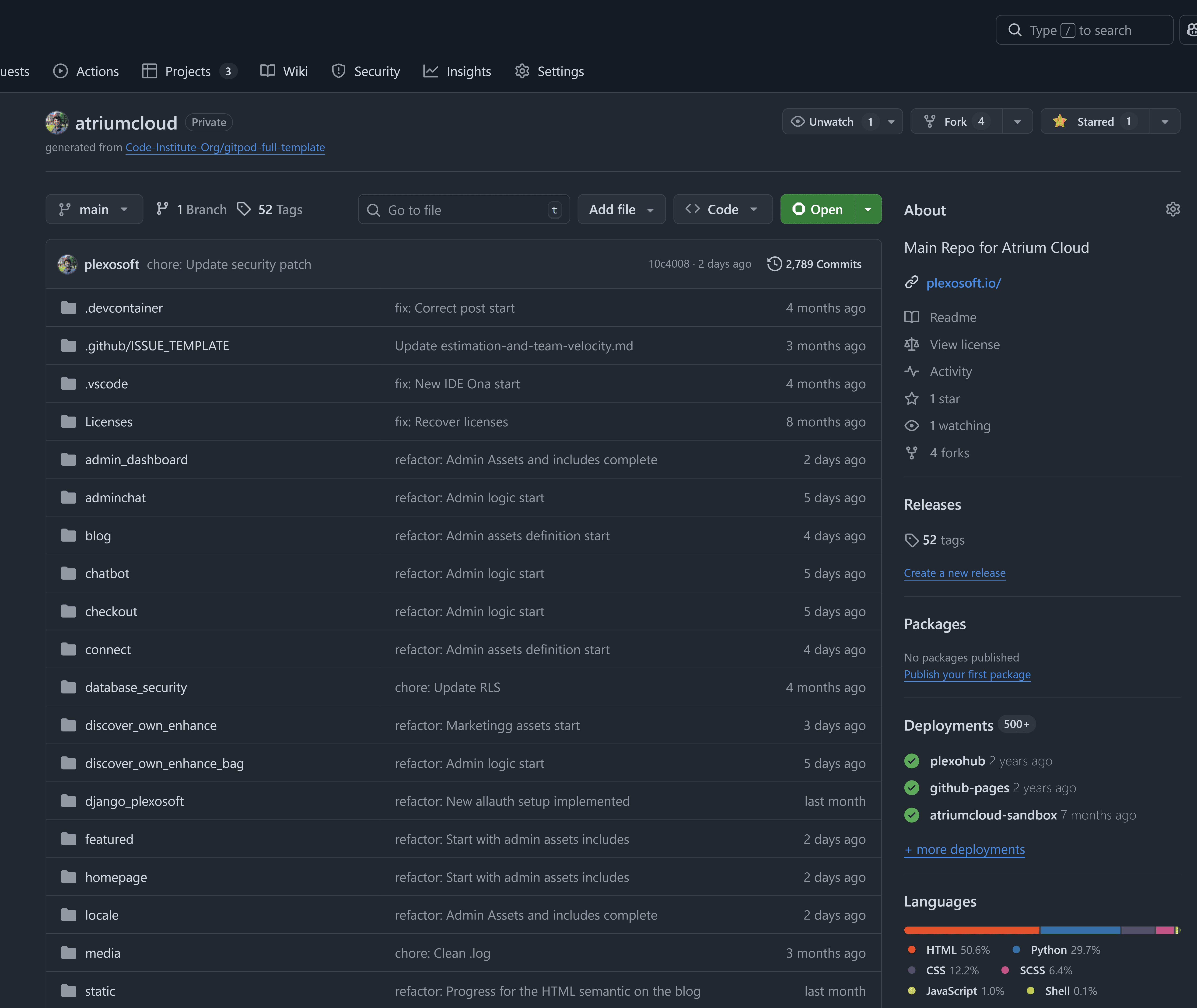
Repositories: One Project, One Source of Truth
Every project starts with a dedicated GitHub repository.
Inside it, you will always find:
- A clear project name and description
- A README explaining context and goals
- All user stories, tasks, and discussions
This repository is the project.
User Stories: Turning Ideas into Action
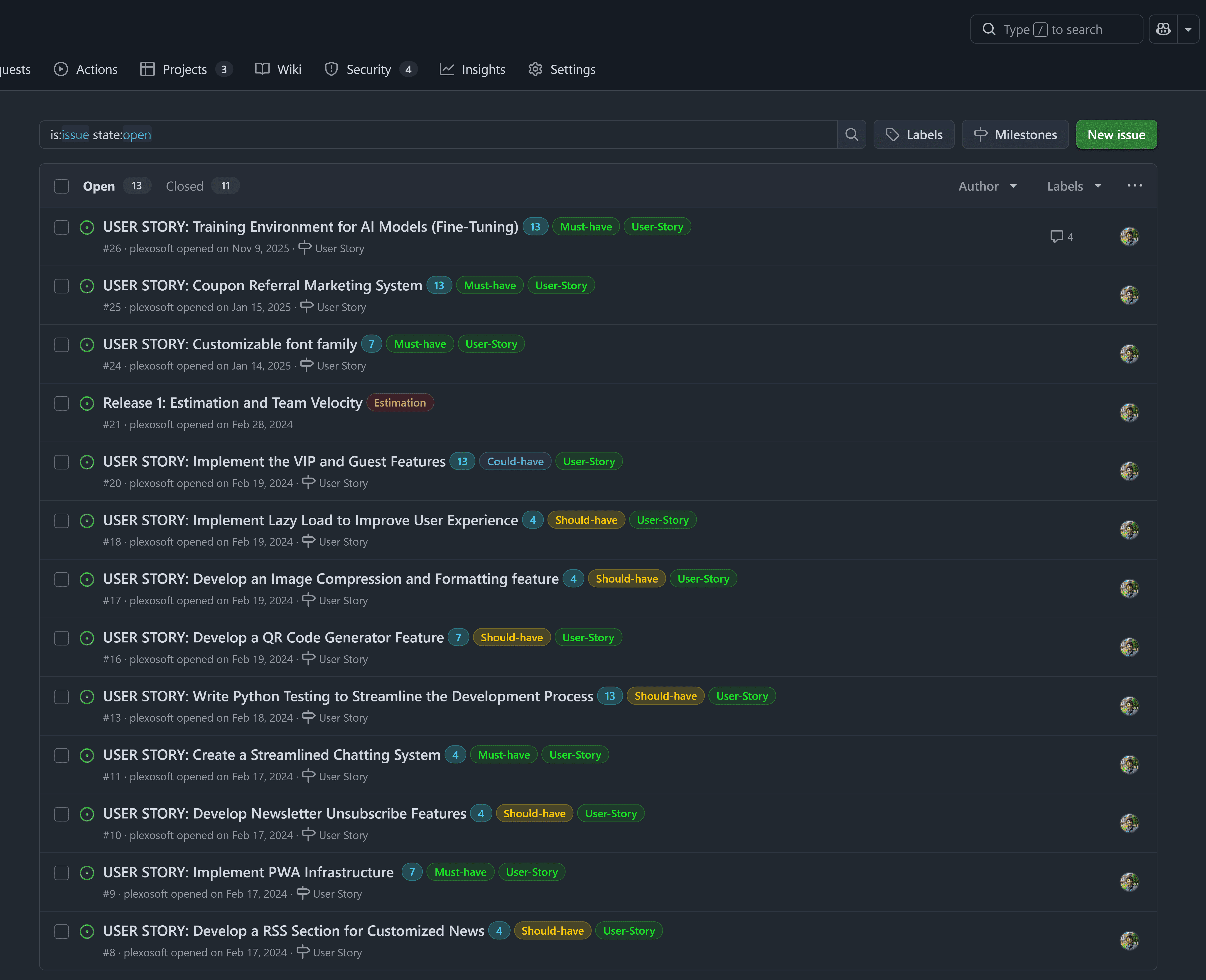
We never work with vague requests.
Every piece of work starts as a User Story, created using a predefined template that defines:
- Who the user is
- What problem is being solved
- Why it matters
- Acceptance criteria
- Tasks required to complete it
This ensures alignment before execution begins.
User stories are editable. SCRUM is adaptive, not rigid.
Labels: Knowing the State of Work at a Glance
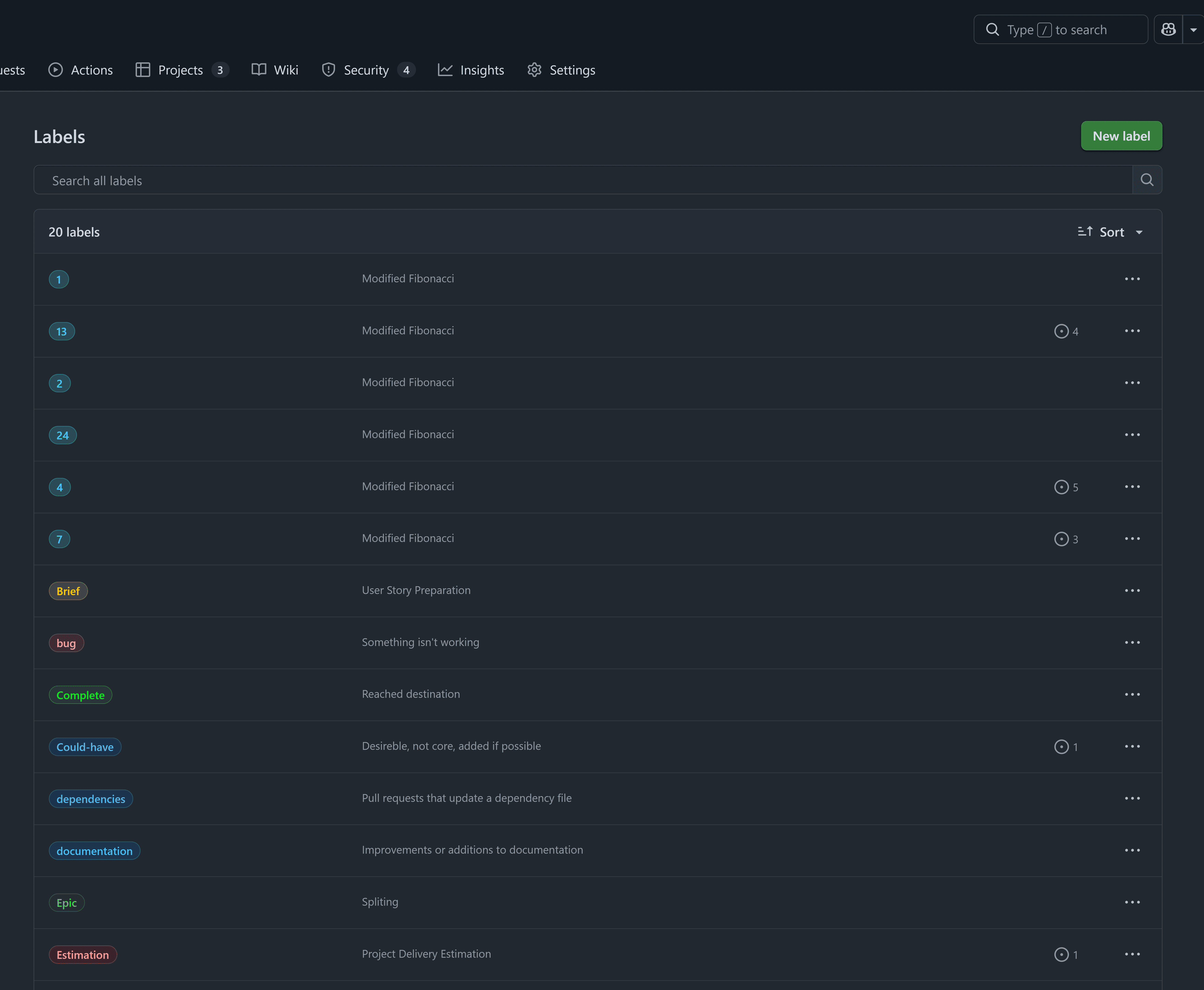
Labels tell us instantly:
- What is pending
- What is in progress
- What is blocked
- What is completed
We intentionally remove unnecessary default labels and keep only what supports clarity and speed.
Milestones: Structure Without Pressure
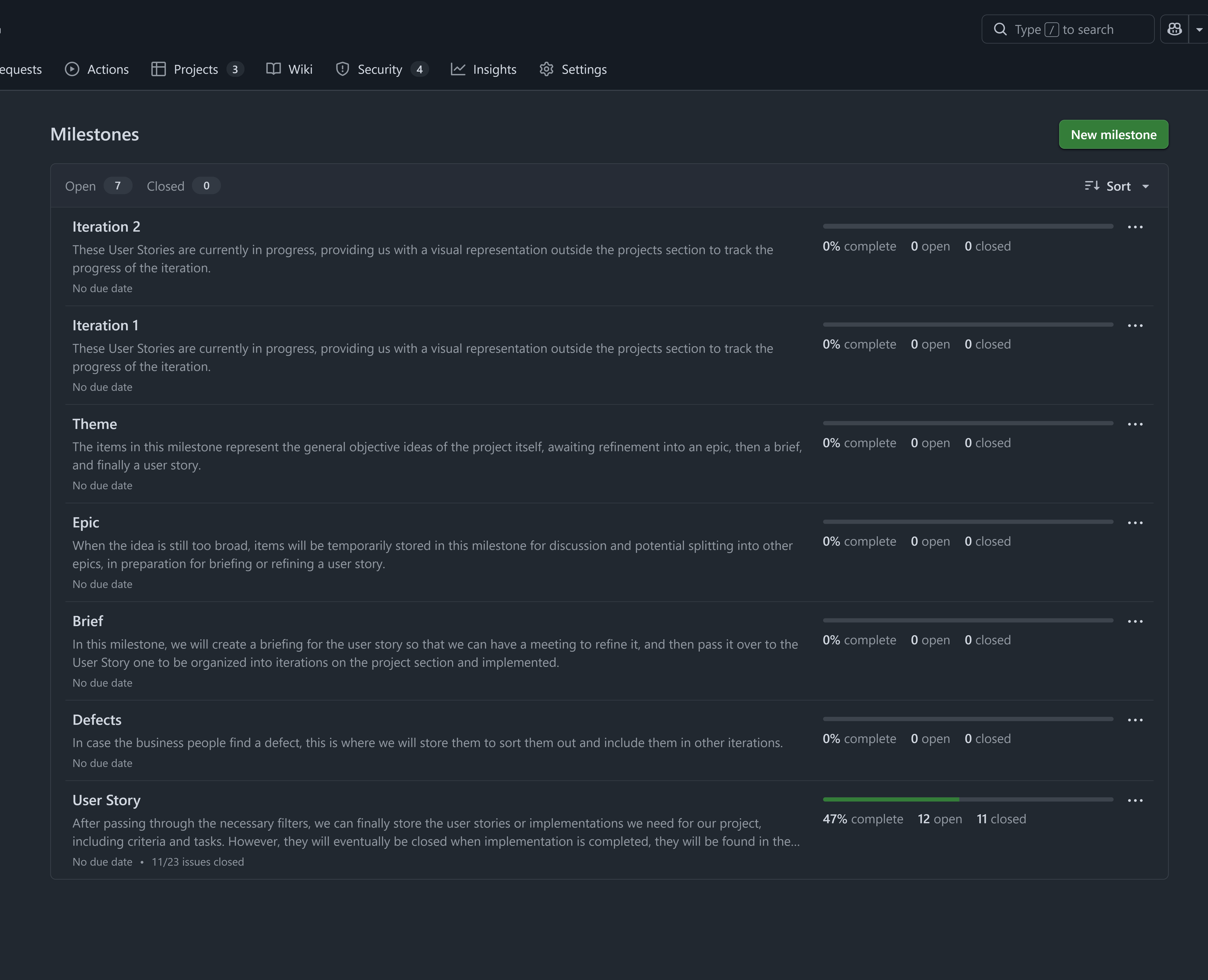
Milestones group user stories into logical delivery phases.
They help answer:
- What belongs to this phase?
- What is required before moving forward?
- How close are we to the next delivery point?
Milestones provide structure without locking projects into unrealistic deadlines.
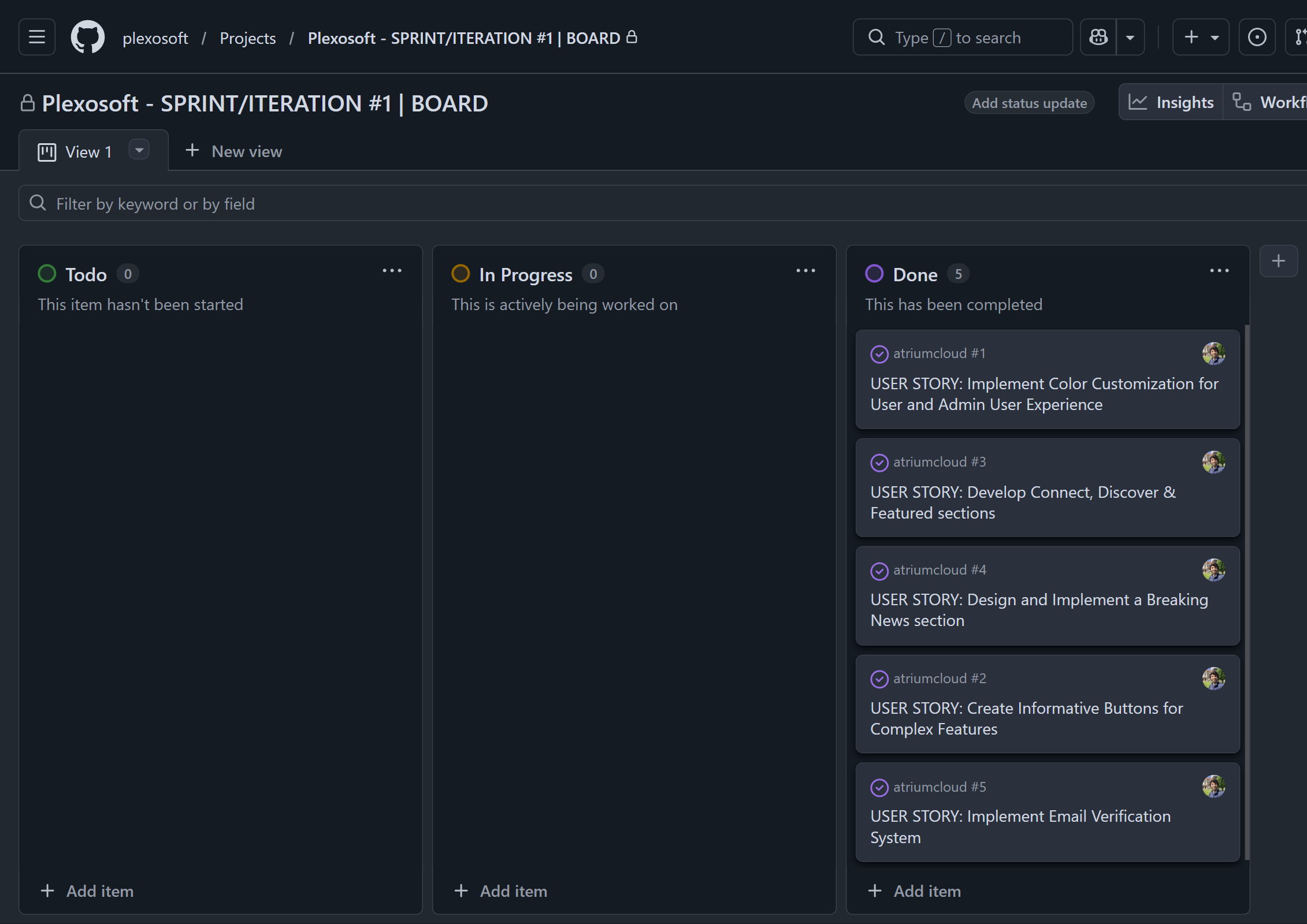
Project Boards: Where Work Moves
Project Boards make execution visible.
We typically use a Kanban-style board to:
- Prioritize work
- Limit work in progress
- Track movement from idea to completion
Each card represents a real piece of value being built.
Projects: How We Run Sprints
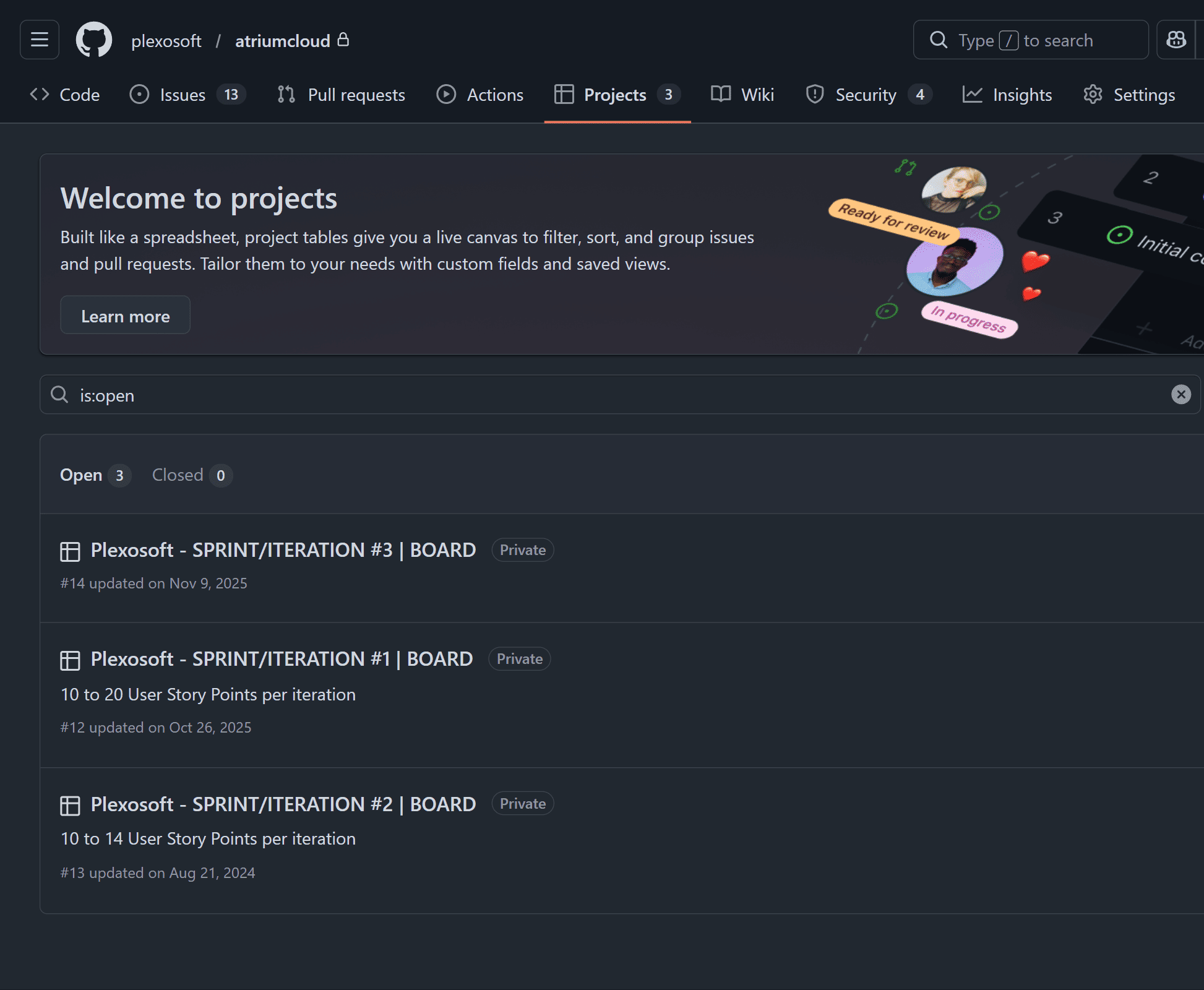
In GitHub, Projects represent our Sprints.
A Project is a controlled execution space where selected user stories are actively worked on during a defined iteration.
Each Sprint Project has:
- A clear objective (what value will be delivered)
- A limited and intentional scope
- A visible workflow (To Do → In Progress → Review → Done)
We do not overload sprints. A sprint is successful when value is completed and usable — not when people are busy.
How Stories Enter a Sprint
User stories are only added when:
- They are clearly defined
- Acceptance criteria are understood
- Dependencies are identified
This prevents mid-sprint confusion and scope creep.
How Sprints Are Used in Practice
During a sprint:
- Contractors focus exclusively on sprint stories
- Progress is updated directly on the board
- Clients can follow movement in real time
At the end of each sprint, we review outcomes, gather feedback, and decide what moves into the next iteration.
We move fast without losing control — and adapt without chaos.
Wiring Everything Together
Once the structure exists:
- User stories are created from themes and epics
- Labels define status
- Milestones group phases
- Boards show progress
- Projects (sprints) enforce focus and prioritization
Clients gain transparency. Contractors gain clarity.
What We Expect from Clients
SCRUM is collaborative.
Clients are expected to:
- Review user stories
- Provide feedback early
- Participate continuously, not only at delivery
What We Expect from Contractors
Contractors are expected to:
- Work strictly inside GitHub
- Update issues instead of sending private messages
- Respect labels, milestones, and board flow
This is how we keep projects clean, professional, and scalable.
Final Thought
Working without an agile framework is like building without blueprints.
SCRUM inside GitHub allows Plexotrade to:
- Deliver consistently
- Collaborate efficiently
- Turn ideas into real, measurable outcomes
This is not optional. This is how we work.
This workflow is explained in detail in our SCRUM course on YouTube and applied across all Plexotrade projects.





Comments (0)